The dashboard
The dashboard is a page in your web browser for trying scenarios and rules without writing a file.
It runs on your own computer: handoverlab gui starts a small local server and opens the page.
No account, server or domain is needed and nothing is sent anywhere.
python -m pip install -e ".[gui]"          # Streamlit and matplotlib; the core package needs neither
handoverlab gui                            # opens http://localhost:8501
handoverlab gui --port 8600 --headless     # another port, no browser window (open the address yourself)
Stop it with Ctrl+C in the terminal.
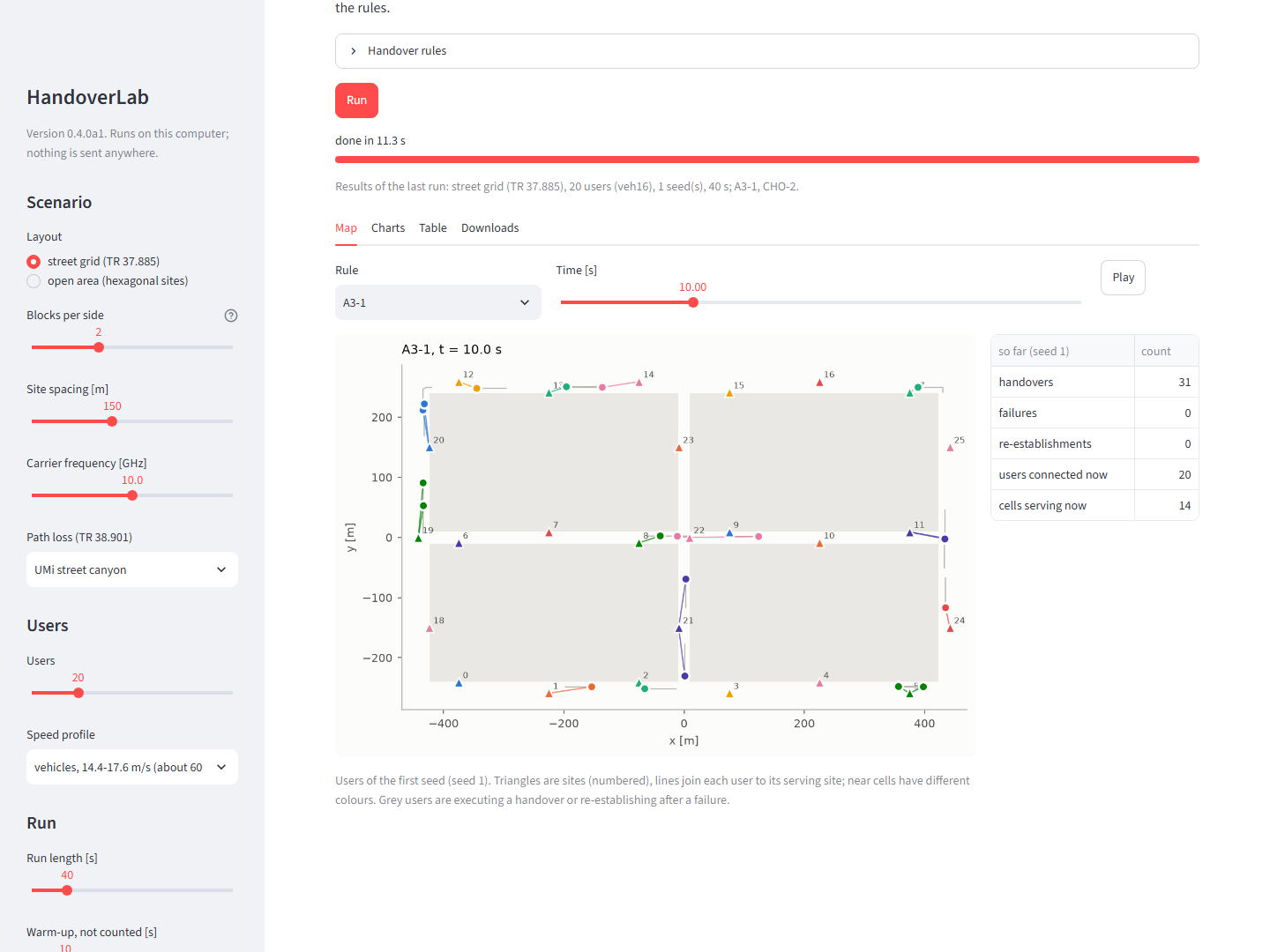
Choosing what to run
Scenario (left). Street grid (the TR 37.885 urban grid with buildings) or open area (the same rectangle with a hexagonal site grid, no buildings); blocks per side; site spacing; carrier frequency; the TR 38.901 path-loss model; the number of users, their speed profile and their traffic (constant rates, full buffer, periodic packets or FTP model 3); the run length and the warm-up (not counted in the metrics); the number of seeds (three by default, so that the comparison has confidence intervals) and the first seed.
Handover rules. One to four rules, each Event A3 (offset and time-to-trigger) or conditional handover (preparation and execution offsets, execution time-to-trigger, prepared cells). Every rule runs on the same worlds and radio samples, so the comparison is paired.
Run shows a progress bar per seed. The default settings run in about ten seconds.
Results
- Map. The users of the first seed on the layout at the chosen time, coloured by their serving cell, with a line to the serving site; grey users are executing a handover or re-establishing after a failure. Choose the rule, move the time slider or press Play. The table next to the map counts the handovers, failures and re-establishments up to that time.
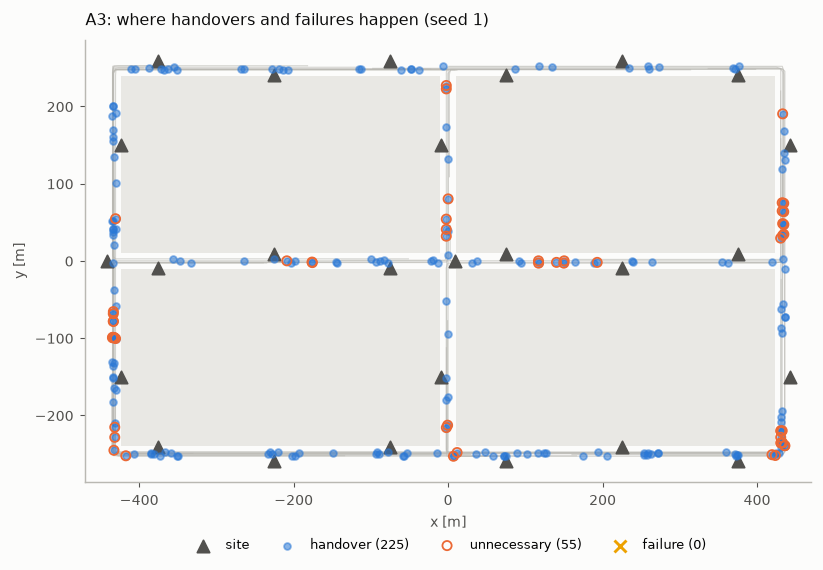
- Where. The paths of the users of the first seed with a mark at every handover, unnecessary handover and failure: where on the map the rule hands over too often or fails.
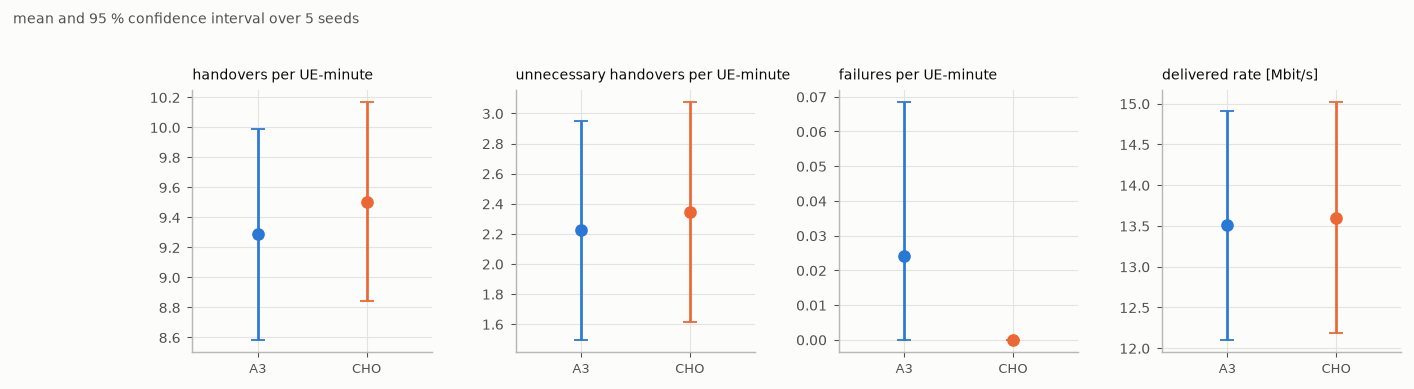
- Compare. Every rule against the first one on the same worlds: the mean of each metric with
its 95 % confidence interval over the seeds, and the paired difference with its interval
(
significantwhen the interval excludes zero). These are the statistics of the study report.
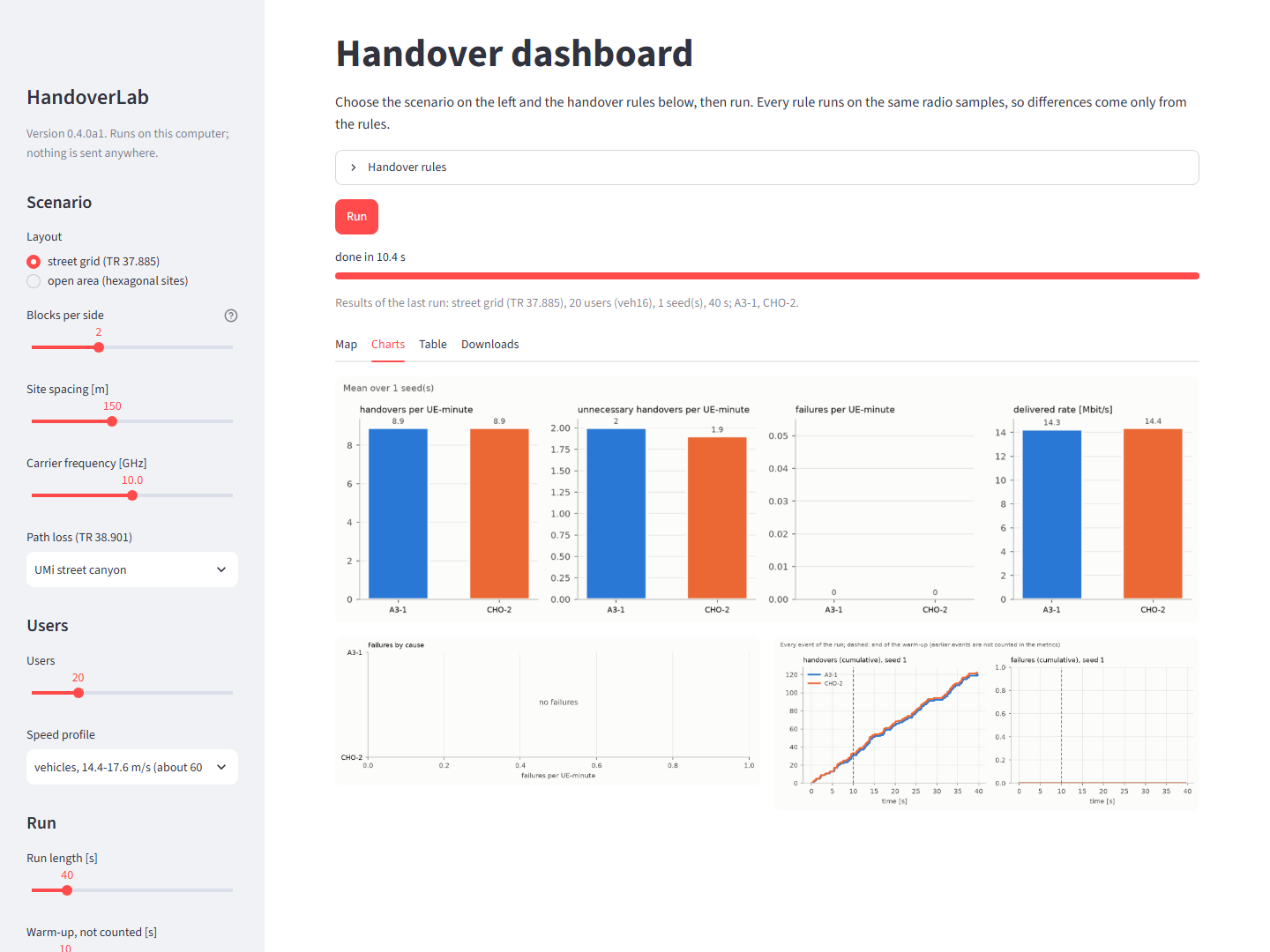
- Charts. Handovers, unnecessary handovers, failures and delivered rate per rule (mean over the seeds, with their range), failures by cause, and the cumulative handovers and failures over time.
- Table. The mean of the main metrics per rule.
- Study. The status of a study folder written by
handoverlab study, the same lines thathandoverlab statusprints, also while the study is running in another terminal. - Downloads. Metrics (CSV, one row per seed and rule, as
handoverlab runwrites them), results (JSON with the settings, the resolved scenario and the fingerprints), event logs (CSV), traces of the first seed (CSV), the comparison with its intervals (CSV), the figures (PNG), and an experiment file (YAML) that repeats the run exactly withhandoverlab run dashboard.yaml.
Behind the page
All logic is in handoverlab.gui.logic and works without Streamlit: Settings and
RuleSettings hold the choices, run() runs them (with the event-log level full on the first
seed, so the serving cell of every user is known at every time), and map_figure(),
metrics_figure(), causes_figure(), timeline_figure(), events_map_figure(),
comparison_figure(), comparison_rows(), study_status_lines() and the download functions make the
outputs (python tools/make_readme_images.py rebuilds the pictures of this page). Use them in a notebook:
from handoverlab.gui import logic

s = logic.Settings(layout="open_area", users=30, profile="veh30", duration_s=60, seeds=3)
out = logic.run(s, [logic.RuleSettings("a3", "A3"), logic.RuleSettings("cho", "CHO")])
logic.map_figure(out, rule=1, frame=40).savefig("map.png")
For studies (tuning, gates, paired tests) use the command line; the dashboard is for exploring.